Zero repetitive work.
Install ArtboardKit as a UXP plugin via the Creative Cloud Desktop app. No zip extraction, no manual copying — just find, install, and open the panel inside Photoshop.
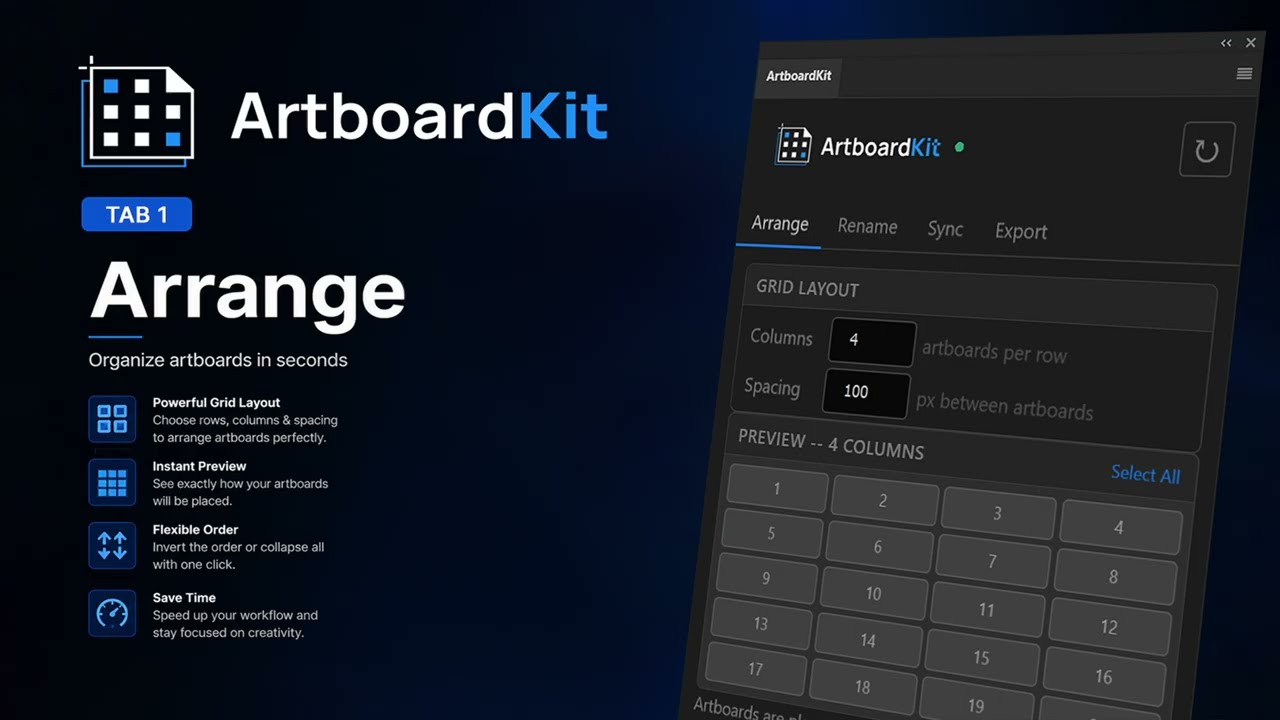
Snap all artboards into a clean grid with configurable column count and spacing. A live preview updates as you type. Collapse all layer groups in one click.
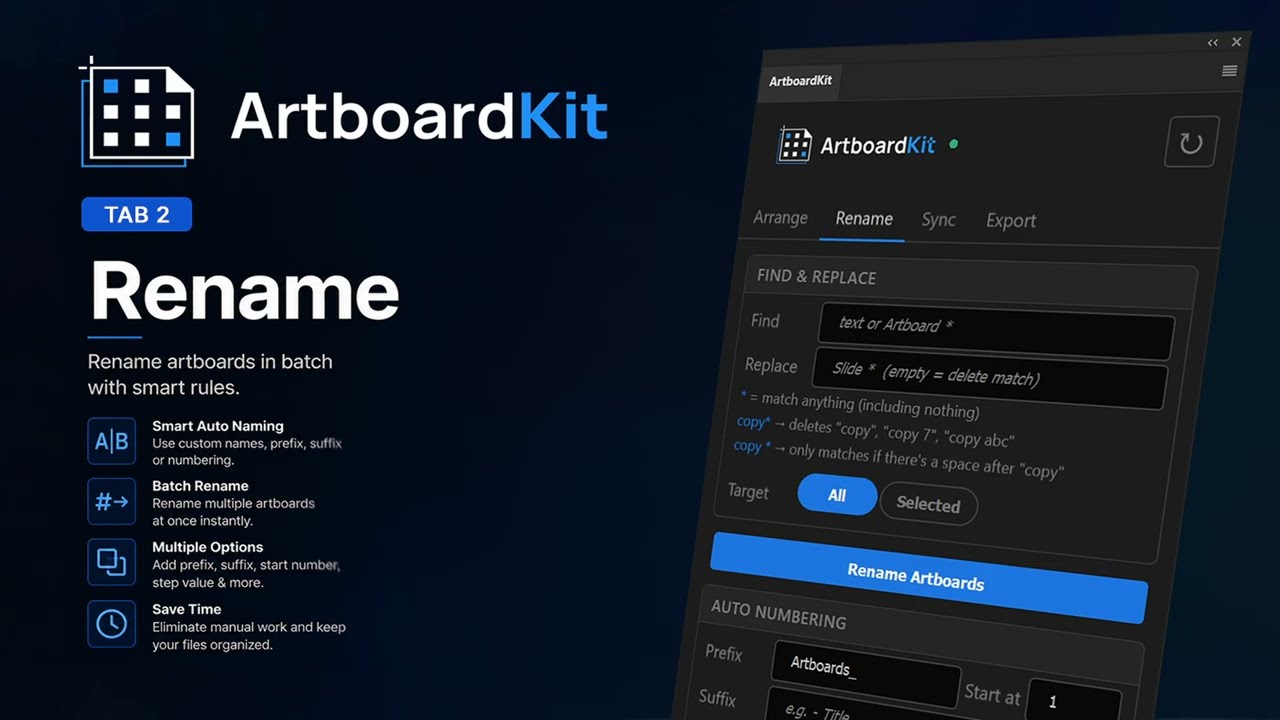
Batch rename artboards with wildcard Find & Replace — * matches anything. Auto Numbering adds configurable prefixes, suffixes, and start values in one shot.
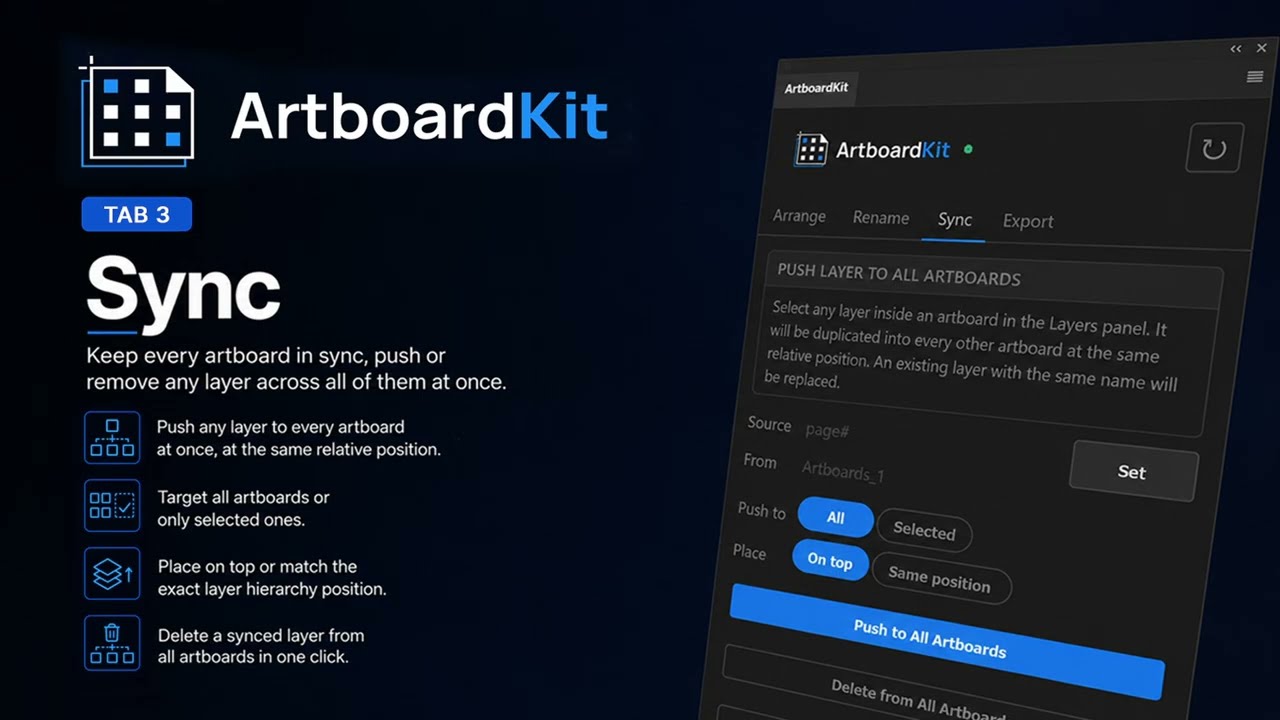
Select any layer, hit Set, then push it to every artboard at the same relative position. An existing layer with the same name is replaced automatically.
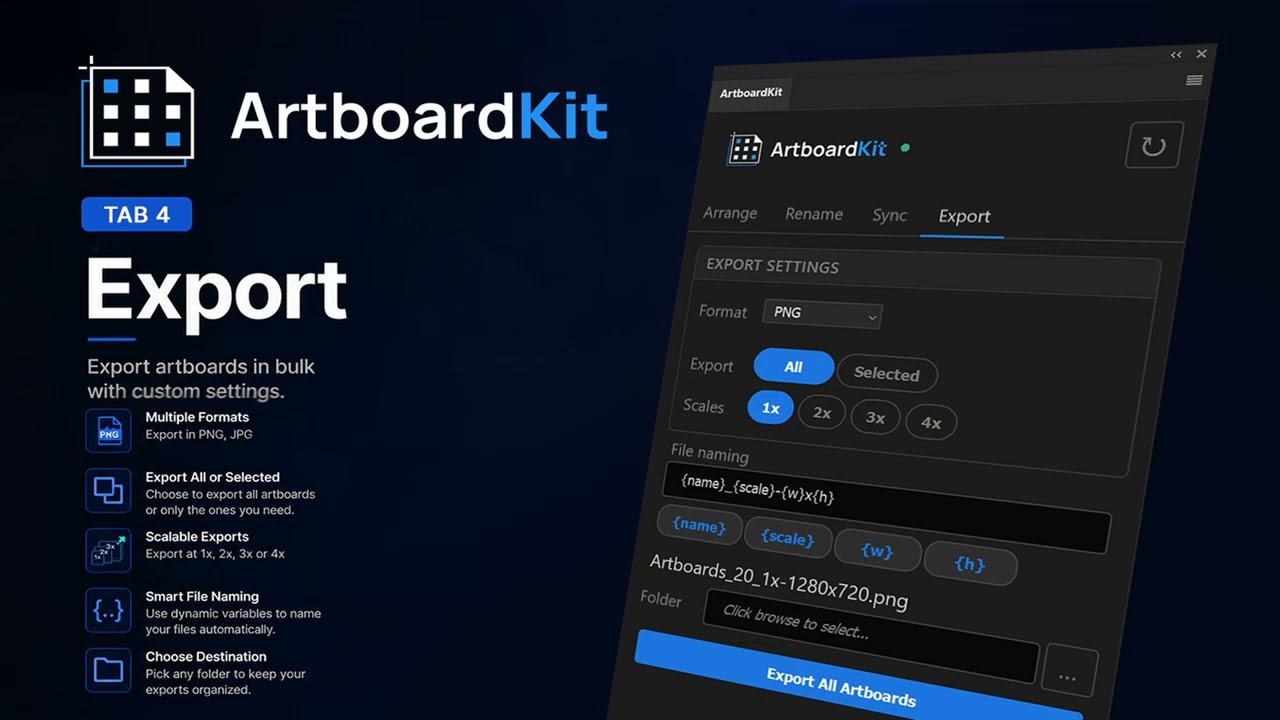
Export every artboard as PNG or JPG in one click. Choose 1×, 2×, 3×, and 4× simultaneously. Define your own file naming pattern with tokens.